
A real result
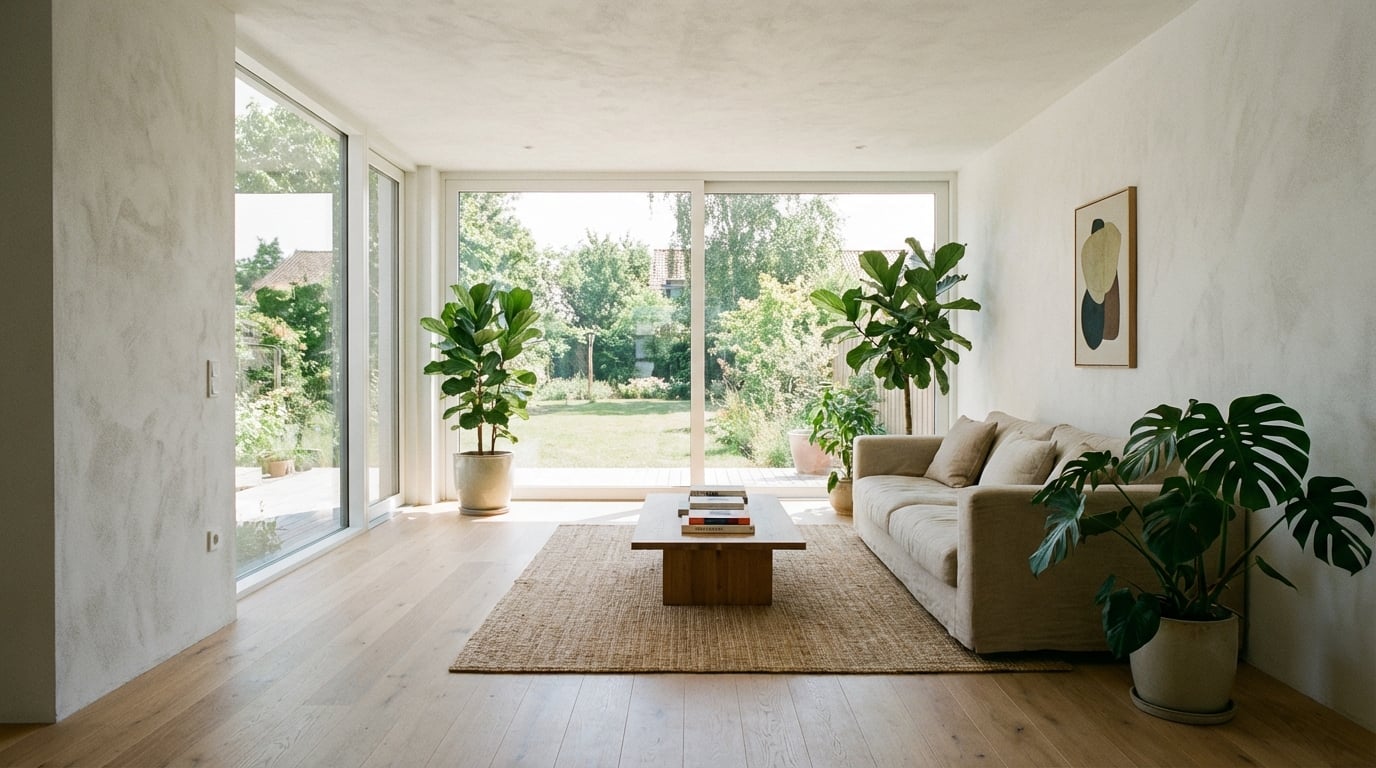
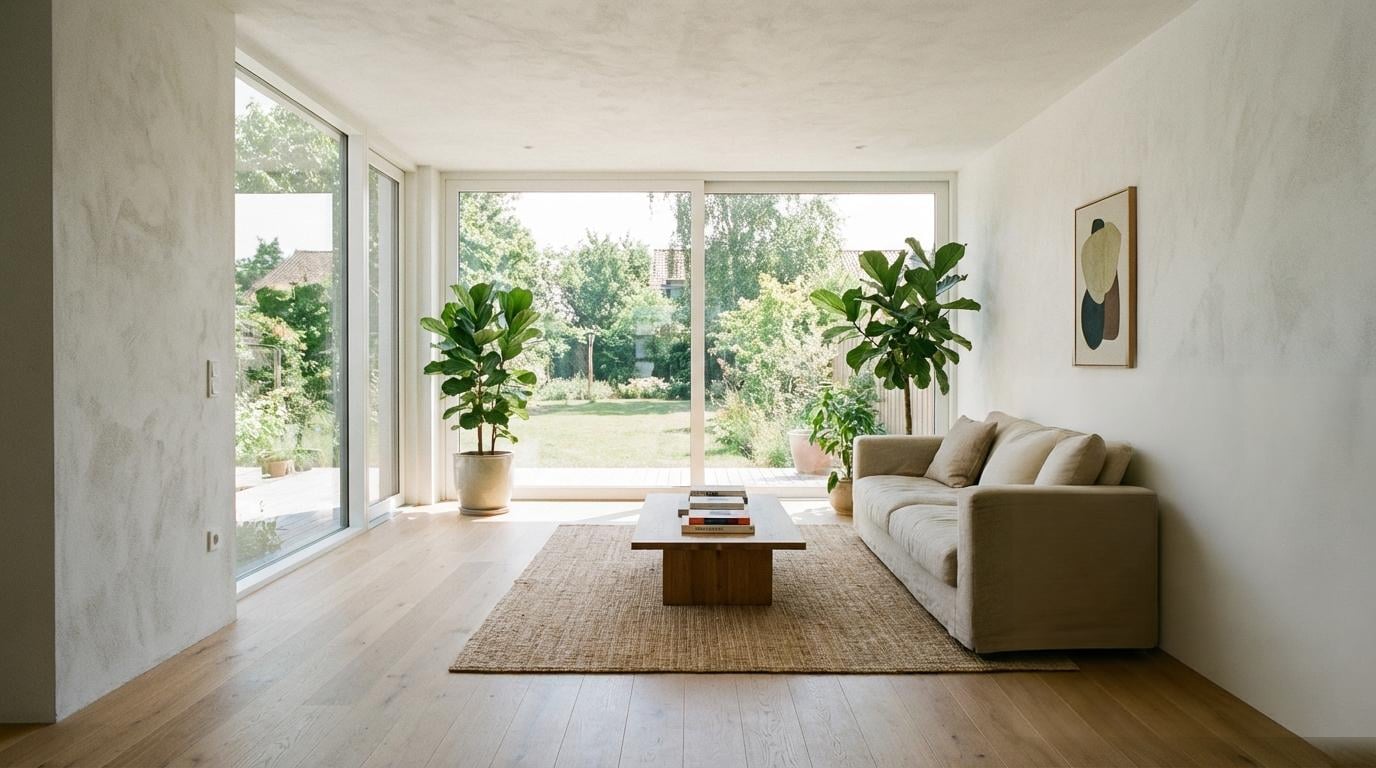
Input: a living room render with a potted plant beside the sofa. The plant was brushed over; nothing else was selected and no prompt was given. Output as delivered by the pipeline, unedited.
Generated with Object Eraser (Bria), 8 credits at list price, 21 s wall clock, on October 19, 2026.
Specs and cost
- Input formats
- JPEG · PNG · WebP
- Output size
- Same size as the input
- Cost per image
- 8 credits (€0.08)
- One image
- 8 credits (€0.08)
- Time to result
- 21 sMeasured on the demo above, not an estimate.
Object Eraser (Bria) · 1 credit = €0.01
What it can't do
It fills from context, so large objects leave invented surface
A small object in front of a plain wall disappears cleanly. A sofa that covers half a room leaves a half-room the model has to make up — floor pattern, skirting, whatever was behind — and the invention shows. Rebuild big changes in the scene instead.
Repeating patterns can break
Tiles, timber boards, brick courses and shadow stripes have to continue through the erased region at the right pitch. The fill often gets the texture right and the alignment slightly wrong, which the eye catches on a regular grid.
Shadows and reflections you did not brush stay
The model removes what is inside the brushed area. A shadow on the floor or a reflection in the glass that belongs to the object survives unless it is brushed too, and then reads as a shadow with nothing casting it.
No prompt, no replacement
This erases; it does not swap one object for another. To put a different chair where the old one stood, use the render editor with a reference image instead.
How it works
- 1
Upload the render
Any finished render, at the resolution you deliver. The output keeps the input size, so there is no loss on the parts you did not touch.
- 2
Brush over the object
The button on this page opens the render editor in brush mode with Object Eraser (Bria) already picked. Paint a little past the edge of the object, including its shadow and any reflection it casts. The brush marks the region to fill; everything outside it comes back unchanged.
- 3
Erase and download
The model fills the brushed region from its surroundings. If a trace remains, brush the remainder and run again; each run is charged separately.
Questions
- Can AI remove an object from an architectural render?
- Yes. An inpainting model fills the region you brush from the surrounding pixels, so a small or mid-sized object against a readable background disappears cleanly; the rest of the image is untouched.
- Do I have to describe what should replace it?
- No. The eraser takes only the brushed mask and continues the surroundings; there is no prompt. Describing a replacement is a different tool, the render editor.
- Is there a free version?
- Yes: up to three erasures without an account and without a watermark, on the free page linked below. After that you sign up and continue in the render editor, paid per image.
- Will the rest of my render be altered?
- No. Pixels outside the brushed region are returned as uploaded, at the same size. Only the mask is regenerated.
- What about removing people from a render?
- The same way: brush over the figure and its shadow. Entourage people are the most common thing erased before a client sees a render, and they usually stand against ground or facade that fills well.