
A real result
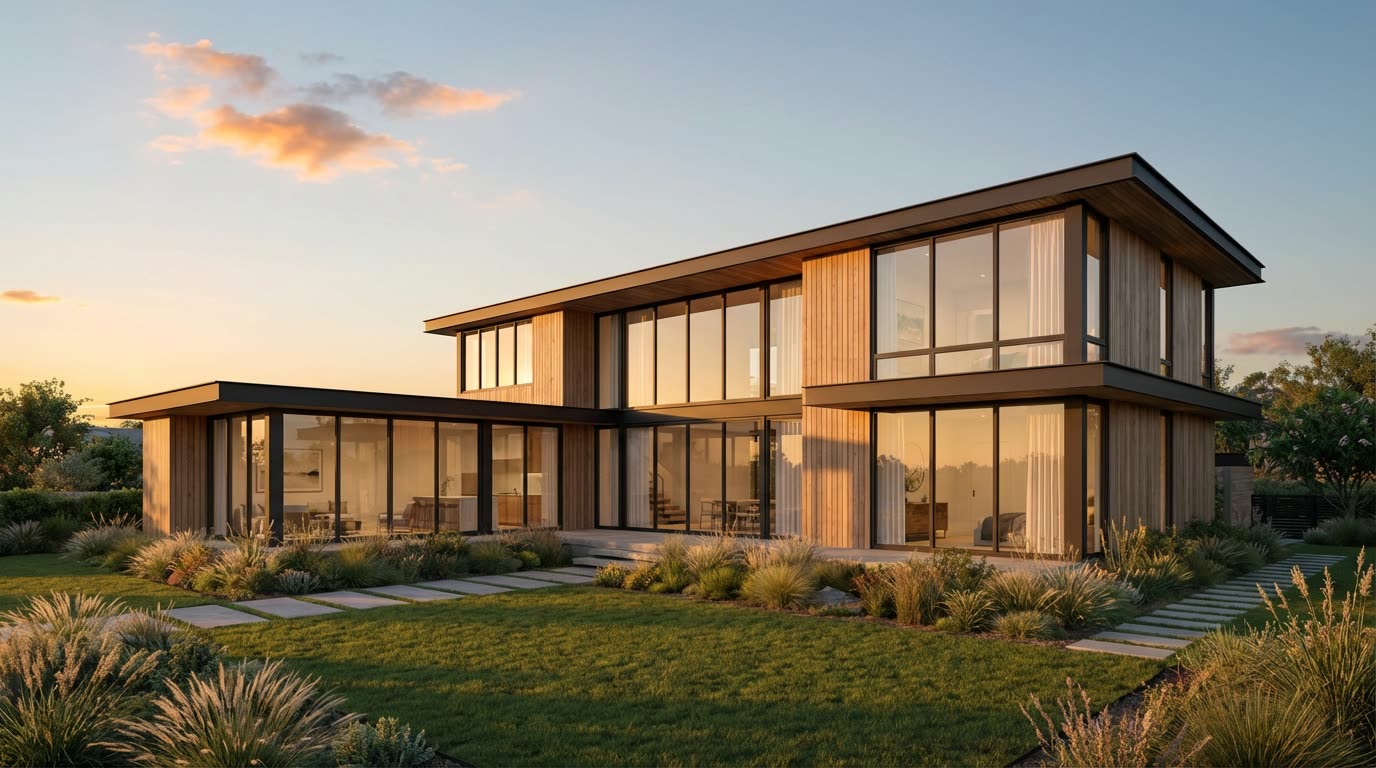
Input: an exterior dusk render of a timber house. Prompt: slow push-in towards the entrance, camera at eye level, evening light, no people. Output as delivered by the pipeline, unedited.
Generated with Seedance 2.0 at 720p, 5 s, 180 credits at list price, 153 s wall clock, on September 26, 2026.
Specs and cost
- Aspect ratios
- 16:9 · 9:16 · 1:1 · 4:3 · 3:4
- Clip length
- 4–15 s
- Resolutions
- 480p · 720p · 1080p
- Cost per second of output
- 480p: 16 credits (€0.16) · 720p: 36 credits (€0.36) · 1080p: 90 credits (€0.90)
- A typical clip
- 5 s @ 720p = 180 credits (€1.80)
- Time to result
- 153 sMeasured on the demo above, not an estimate.
Seedance 2.0 · 1 credit = €0.01
What it can't do
It does not build a 3D model
The motion is inferred from a single image. Surfaces that the render does not show — the side of the building, the back of a column — are invented as the camera reveals them, and a wide orbit exposes that quickly. Keep moves short and mostly along the view direction.
Straight lines can bend
Window mullions, facade joints and paving edges may bow or shimmer during the move, especially on long clips. A slower move over fewer seconds keeps geometry more stable than a fast sweep.
No exact camera path
You describe the move in words; you cannot key a path, set a focal length or match a previous shot frame for frame. For a sequence that must match a planned camera track, animate in your renderer.
Text, signage and people drift
Lettering on the facade, licence plates and entourage figures are the first things to warp. Remove them from the render first or crop them out of the frame.
How it works
- 1
Upload the render
JPEG or PNG, any resolution the tool accepts. The clip inherits the render’s look, so send the final graded image, not a clay pass.
- 2
Describe the camera move
One move per clip works best: a push-in, a pull-out, a slow lateral pan or a crane up. Name what should stay still ("no people, trees only sway") and pick the aspect ratio, length and resolution.
- 3
Generate and download
The clip renders in the background and lands in your library as an MP4. Generate a second variant with a different move if the first one drifts; each clip is charged separately.
Questions
- Can AI turn a single architectural render into a video?
- Yes, as a short clip with one camera move. An image-to-video model adds parallax, light and sky motion to a still render; it does not rebuild the scene in 3D, so the move must stay close to the original view.
- How long can the clip be?
- The clip length and resolution options are listed in the specs above. Shorter clips keep geometry more stable, and for a longer sequence you generate several clips and cut them together.
- Which renders work best?
- A finished, photoreal render with a clear foreground and background and no text or figures. Exteriors with sky and vegetation animate convincingly; flat elevations with nothing to parallax do not.
- Do I need a subscription?
- No. Each clip is charged in credits from a prepaid balance, and the cost of a typical clip is shown above in credits and euros. Paid output carries no watermark.
- Is this the same as an architectural animation from a 3D model?
- No. A rendered animation follows an exact camera path through real geometry and can be any length; this produces a short, plausible move from one image in minutes. It suits previews, social clips and client updates, not a final walkthrough film.