
Turn an exterior render into a flythrough
Upload one exterior render and describe the drift: along the facade, towards the entrance, around the near corner. The clip keeps the materials and light of the render and adds depth, sky and moving vegetation.
A real result
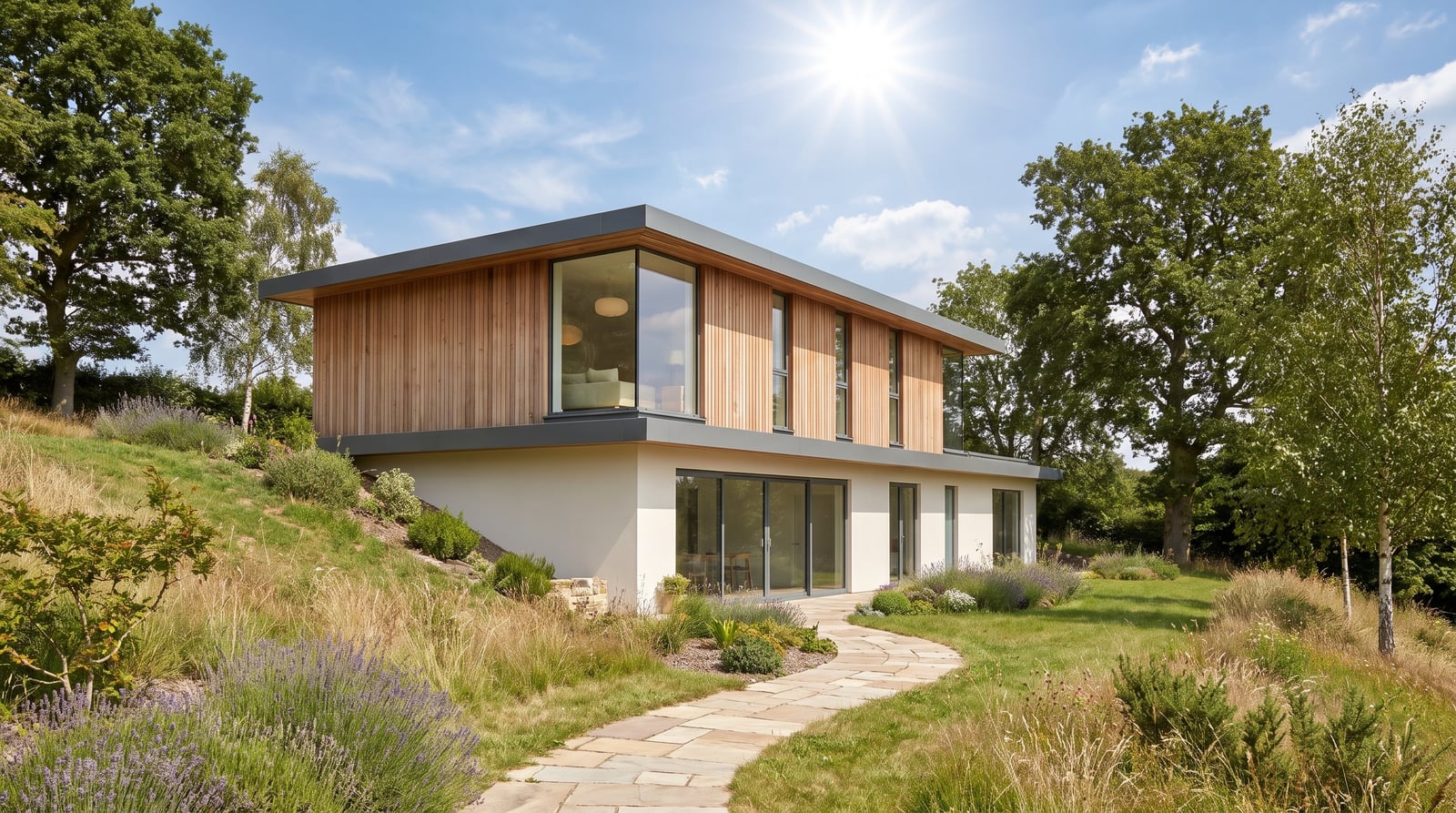
Input: a daylight three-quarter view of a two-storey house on a sloped site. Prompt: slow aerial flythrough along the front of the house, camera drifting forward and gently around the near corner, building rigid, trees swaying slightly, no people. Output as delivered by the pipeline, unedited.
Generated with Seedance 2.0 at 720p, 5 s, 180 credits at list price, 198 s wall clock, on October 19, 2026.
Specs and cost
- Aspect ratios
- 16:9 · 4:3
- Clip length
- 4–15 s
- Resolutions
- 480p · 720p · 1080p
- Cost per second of output
- 480p: 16 credits (€0.16) · 720p: 36 credits (€0.36) · 1080p: 90 credits (€0.90)
- A typical clip
- 5 s @ 720p = 180 credits (€1.80)
- Time to result
- 198 sMeasured on the demo above, not an estimate.
Seedance 2.0 · 1 credit = €0.01
What it can't do
It cannot fly around the building
A full orbit reveals the far facade, the roof and the rear garden, none of which are in the render; the model makes them up as the camera arrives. A drift that stays within roughly a quarter turn of the original view keeps what the camera reveals honest.
No site beyond the frame
Neighbouring buildings, the street behind the camera and the land past the edge of the render do not exist for the model. A move that would bring them into view produces generic surroundings, not the real context.
Roof edges and balcony rails may waver
Long straight edges seen at a grazing angle — parapets, fascias, railings — are what a lateral drift stresses most. They can bow slightly or shimmer over the length of the clip; a slower drift over fewer seconds limits it.
Cars and people do not move on their own paths
Entourage in the render either freezes or drifts with the camera; the model does not animate traffic or pedestrians along the street. Remove them from the render first or leave them out of the frame.
How it works
- 1
Start from a three-quarter view
A render that already shows two facades and some ground gives the camera something to move past. A frontal elevation has no depth to reveal, so pick the perspective view and send the final graded image.
- 2
Describe one drift
Name the direction and the speed in one sentence: "drift left along the facade", "glide towards the entrance", "ease around the corner and settle". Ask for the building to stay rigid and pick the aspect ratio, length and resolution.
- 3
Generate and cut together
The clip lands in your library as an MP4. For a longer site tour, generate one clip per view — street, garden, courtyard — and join them in sequence in the Reels Maker or your editor.
Questions
- Can AI make a flythrough from one exterior render?
- Yes, as a short clip with one camera drift. An image-to-video model adds parallax, sky and vegetation motion to a single still; it does not rebuild the site in 3D, so the move has to stay close to the original view.
- How is this different from a flythrough rendered in my 3D software?
- A rendered flythrough follows an exact camera path through real geometry and can circle the whole building; this produces a plausible short drift from one image in minutes. It suits previews, social clips and client updates, not a final presentation film.
- Which exterior renders work best?
- A photoreal three-quarter view with sky, ground and some vegetation in frame. Views with trees, grass and clouds give the model natural motion to add; a flat elevation against a white background has nothing to parallax.
- Can I get an aerial or drone-style shot?
- Only if the render is already an aerial view. The model moves the camera from where the render put it; it cannot lift off from a street-level render and look down at the roof it has never seen.
- Do I need a subscription?
- No. Each clip is charged in credits from a prepaid balance, and the cost of a typical clip is listed above in credits and euros. Paid output carries no watermark.