
A real result
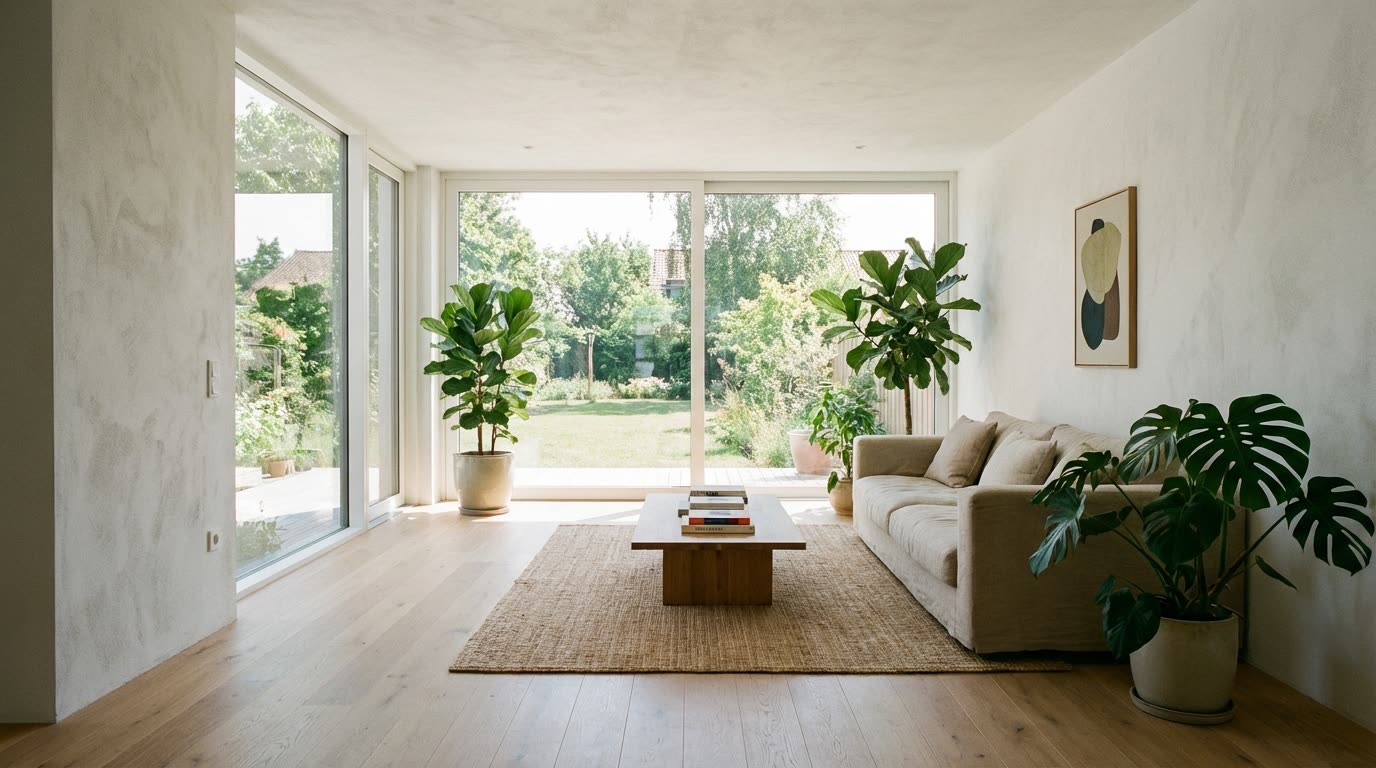
Input: a living room render with floor-to-ceiling glazing onto a garden. Prompt: walk slowly forward towards the window, camera at standing height, daylight steady, nothing else moves. Output as delivered by the pipeline, unedited.
Generated with Seedance 2.0 at 720p, 5 s, 180 credits at list price, 138 s wall clock, on September 26, 2026.
Specs and cost
- Aspect ratios
- 16:9 · 9:16 · 1:1 · 4:3 · 3:4
- Clip length
- 4–15 s
- Resolutions
- 480p · 720p · 1080p
- Cost per second of output
- 480p: 16 credits (€0.16) · 720p: 36 credits (€0.36) · 1080p: 90 credits (€0.90)
- A typical clip
- 5 s @ 720p = 180 credits (€1.80)
- Time to result
- 138 sMeasured on the demo above, not an estimate.
Seedance 2.0 · 1 credit = €0.01
What it can't do
It cannot walk through a doorway into an unseen room
Whatever lies beyond the door in the render is not in the image, so the model invents it once the camera gets there. Stop the move before the threshold and start the next room from its own render.
One render, one clip
There is no continuous camera path across several renders. A whole-apartment walkthrough is a sequence of separate clips joined in an editor, with cuts between them, not a single take.
Furniture can shift or resize
Chairs, pendant lights and rugs may drift a little as the camera moves, and thin legs or cables can break up. Slower, shorter moves keep the room closest to the render.
Reflections and glazing are approximated
Mirrors, glossy floors and window reflections are re-imagined frame by frame rather than ray-traced. They look plausible in motion but will not match the render pixel for pixel.
How it works
- 1
Pick the render that shows the path
A one-point or two-point interior view with open floor ahead of the camera animates best. Choose the final lit render; the clip keeps its materials and light.
- 2
Describe the walk
Say where the camera goes and how fast: "walk forward to the sofa", "drift left along the kitchen island". Ask for standing height and steady daylight so the room does not breathe. Pick the aspect ratio, length and resolution.
- 3
Generate, then chain rooms
Each clip comes from one render. For a route through several rooms, generate one clip per room from its own render and cut them in sequence in the Reels Maker or your editor.
Questions
- Can AI make a walkthrough video from a rendering?
- Yes, one short clip per render. An image-to-video model moves the camera into the scene with real parallax, but it cannot pass into rooms the render does not show, so a multi-room walkthrough is several clips cut together.
- Do I need the 3D model or SketchUp file?
- No. The input is the rendered image only. That is the point of the tool and also its limit: nothing outside the frame exists.
- Which camera moves work in interiors?
- A slow forward walk, a gentle lateral drift or a small push-in towards a focal point. Orbits and fast turns reveal invented geometry and are the moves to avoid indoors.
- What does a clip cost?
- A typical clip is priced in the specs above in credits and euros, paid from a prepaid balance. There is no subscription and paid output carries no watermark.