
A real result
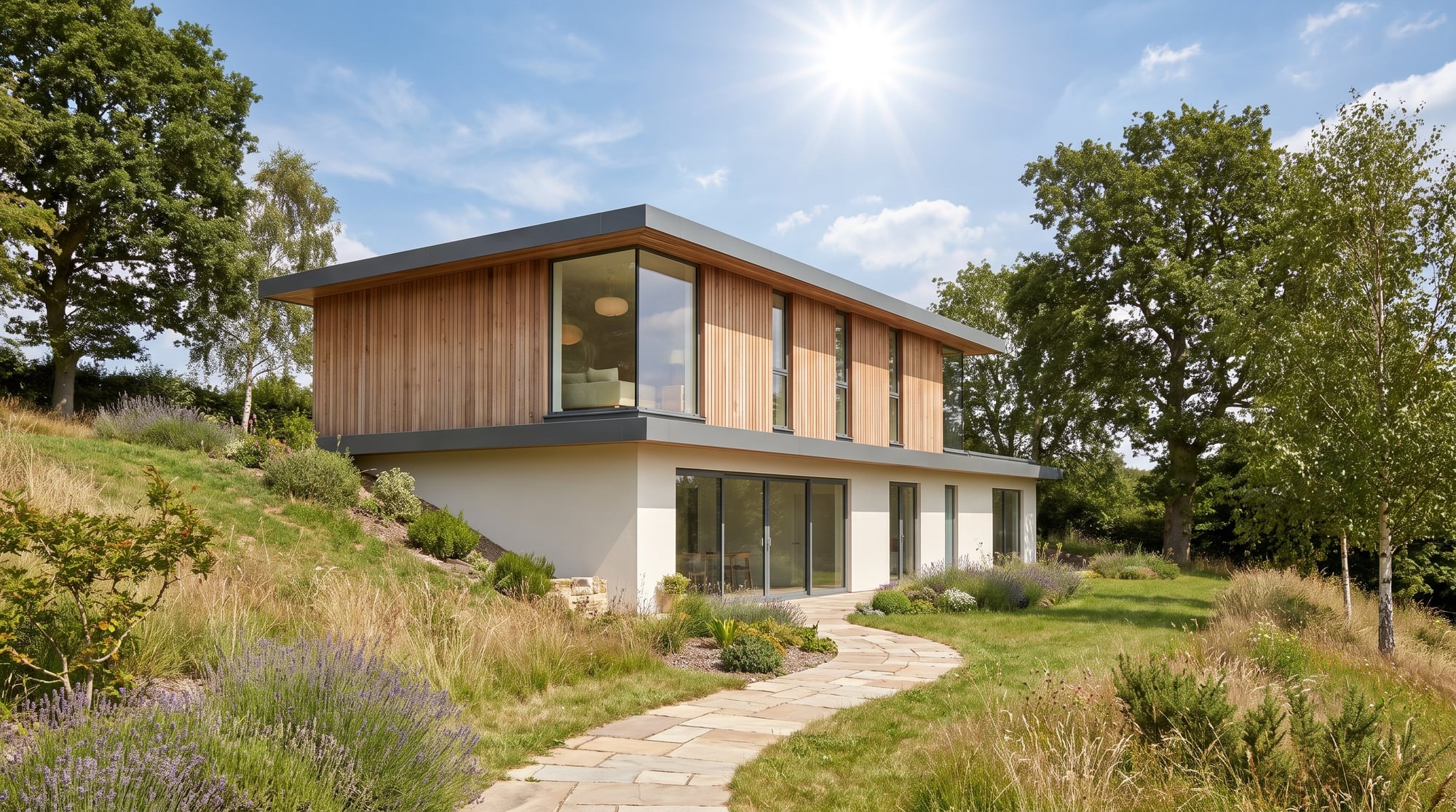
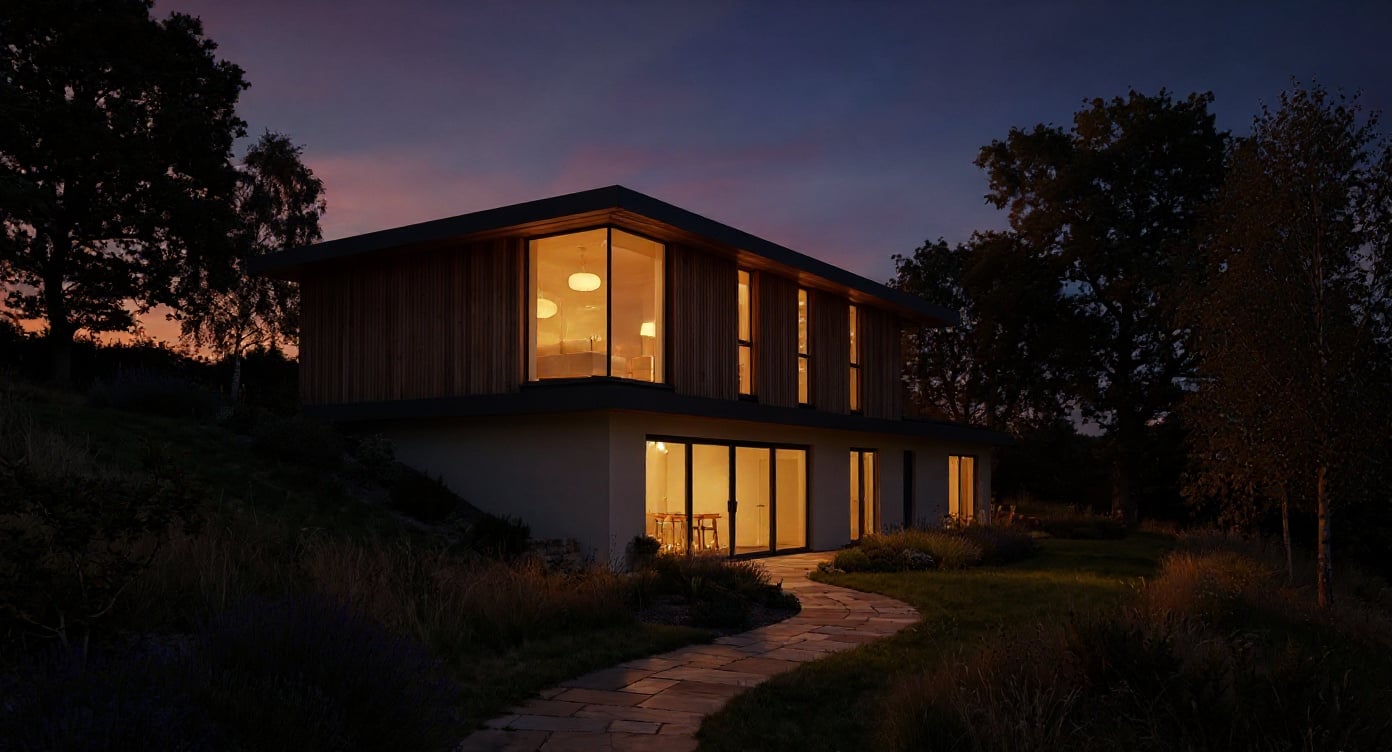
Input: a daylight three-quarter view of a two-storey house on a sloped site. The dusk variant was requested — warm low sun below the horizon, interior lights on, sky graduating from amber to deep blue, geometry and camera unchanged. Output as delivered by the pipeline, unedited.
Generated with Flux Kontext Pro (fal) on the free page, 21 s wall clock, on October 19, 2026.
Specs and cost
- Input formats
- JPEG · PNG · WebP
- Output size
- About one megapixel, whatever the input size — a preview, not a print
- Cost per image
- Free, no account
- Time to result
- 21 sMeasured on the demo above, not an estimate.
Flux Kontext Pro (fal)
What it can't do
It regrades the light; it does not move the sun
Shadows stay where the daytime render cast them. The model warms and lowers the light and darkens the sky, but a hard noon shadow across the facade remains a hard shadow, now in evening colours. Start from a render with soft or low light for the most convincing dusk.
Rooms it cannot see stay unlit
Windows glow only where the render shows glazing with something behind it. Blind facades, closed shutters and reflective glass get no interior light, because there is no interior for the model to light.
Materials can shift hue
Warm evening light tints everything, and pale render or light timber may come back a shade warmer than the material you specified. Check the facade colour against your sample before a client sees it.
Reflections and water are approximated
A pool, a wet road or a large glass wall reflects an invented evening sky rather than the real one in the scene. The reflection is plausible, not physically traced.
How it works
- 1
Upload the daylight render
A finished exterior render with visible glazing works best: windows are where dusk shows. The result comes back at the model’s own size, around one megapixel, whatever you upload — a preview to decide with, not a print file.
- 2
Pick the time of day
Dusk gives a warm horizon and lit windows; blue hour is the even deep-blue light after sunset; night is lit entirely by the building and landscape lighting. The prompt behind each variant is fixed, so the result is repeatable.
- 3
Download or keep going
The converted render comes back in the browser, ready to download. Up to three runs are free without an account; after that you sign up, and your render opens in the render editor, where lighting and sky changes are prompted rather than picked from a variant.
Questions
- Can AI convert a daytime render to dusk?
- Yes. An image-editing model regrades the sky and light of a single render and switches the interior lighting on, keeping the geometry, materials and camera as they are. It is a lighting conversion, not a re-render.
- Is the day-to-dusk tool really free?
- Yes: up to three conversions without an account and without a watermark on the result. The dusk, blue-hour and night variants exist only on the free page; once the free runs are used up you create an account and continue in the render editor, which is paid per image.
- Does it work on interior renders?
- Partly. The model will warm the light and darken what it sees through the windows, but the variants are written for exteriors — a lit facade against an evening sky. For an interior at dusk, re-render with the sun lowered.
- Why would I not just re-render at dusk?
- You would, for the final image. The conversion takes seconds and costs nothing for the first runs, so it answers "would this view sell better at twilight?" before you commit render time to it.