
A real result
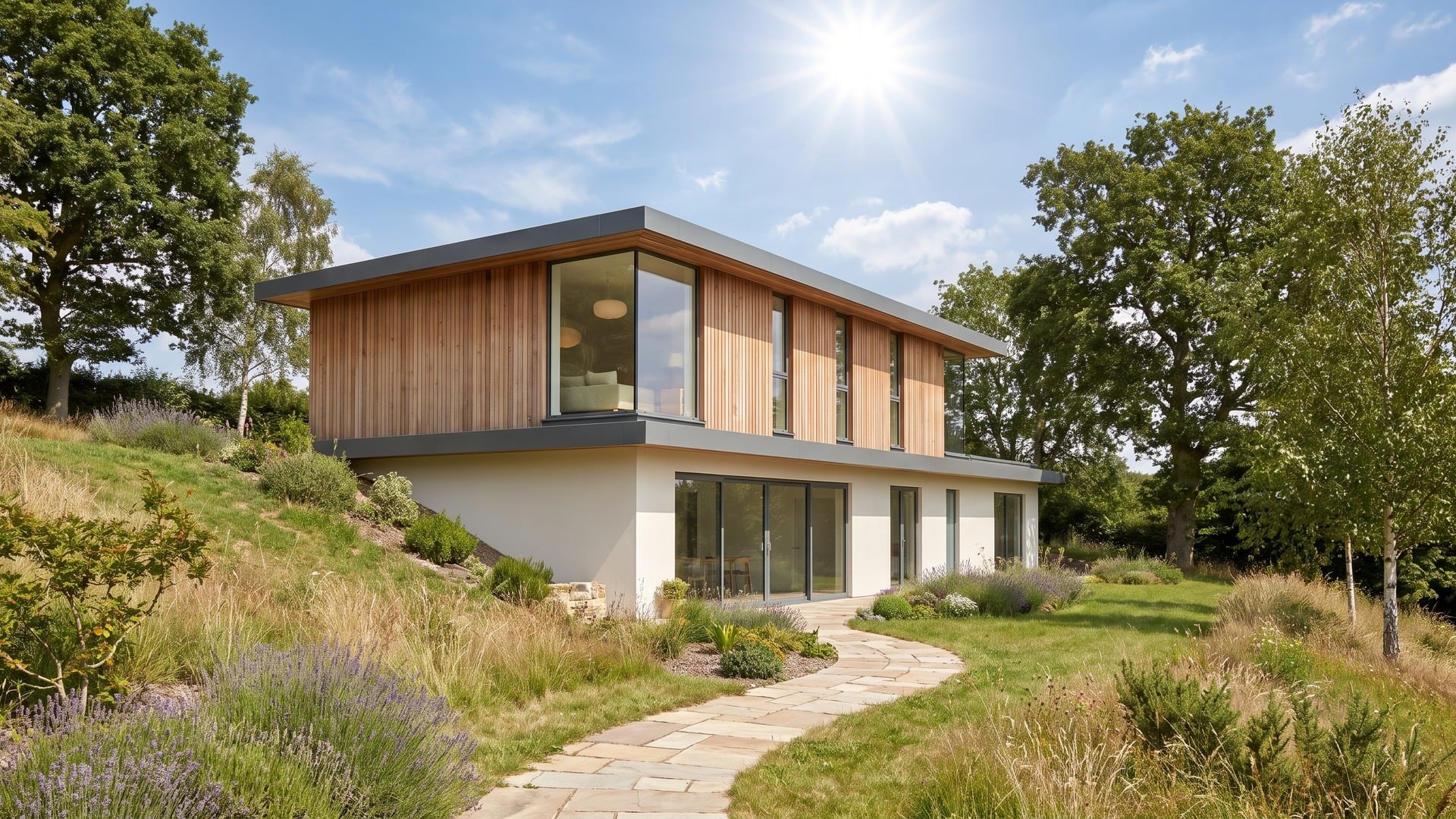
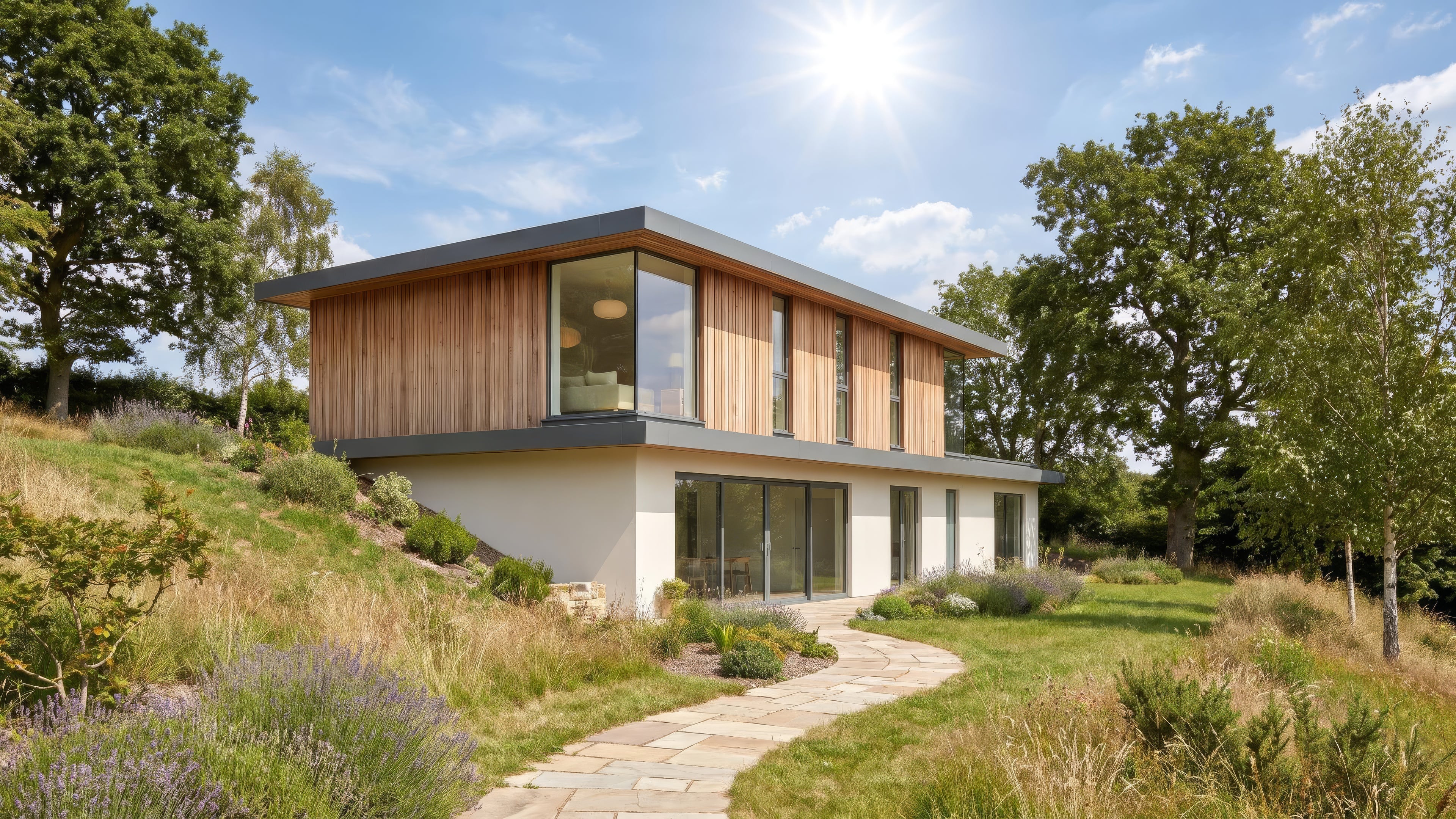
Input: a daylight exterior render at Full HD. A 2× upscale was requested, no prompt. Output as delivered by the pipeline, unedited, at 4K.
Generated with Topaz Image Upscale, 12 credits at list price, 32 s wall clock, on October 19, 2026.
Specs and cost
- Input formats
- JPEG · PNG · WebP
- Output size
- 2× the input — a Full HD render becomes 4K
- Cost per image
- 12 credits (€0.12)
- One image
- 12 credits (€0.12)
- Time to result
- 32 sMeasured on the demo above, not an estimate.
Topaz Image Upscale · 1 credit = €0.01
What it can't do
It sharpens what is there; it does not add what the render never had
A soft reflection stays a soft reflection, only larger. Detail that the renderer did not resolve — fine mullions, distant foliage, texture on a far facade — does not appear because the image grew. For real added detail, re-render at the target resolution.
Soft areas can gain invented texture
Out-of-focus foreground, smooth sky gradients and blurred glass sometimes come back with a faint grain or pattern the render did not have. It is subtle at normal viewing distance and visible on a close crop.
The factor is fixed, so the input size sets the output
Every run doubles the dimensions. A small preview render becomes a larger small render, not a 4K image; to reach 4K in one step, start from a Full HD render.
It cannot repair geometry or lighting
A misaligned texture, a light leak or a jagged edge from a low-sample render is upscaled faithfully, with the flaw. Fix the render first, then enlarge it.
How it works
- 1
Upload the render
JPEG or PNG at the resolution you have. Send the final graded image: the upscaler sharpens what it is given, so grading afterwards means grading a larger file for no gain.
- 2
Choose the upscaler
Topaz is the pure upscaler: no prompt, it doubles the pixels and keeps the image as it is. The other models on the page re-generate detail from a prompt and suit a render you also want to change.
- 3
Download at twice the size
The result lands in your library at double the width and height, ready to download or to send on to the video tool. Each run is charged separately.
Questions
- Can AI upscale a render to 4K without losing quality?
- Yes, from a Full HD source. The upscaler doubles the width and height while keeping edges and textures sharp; what it cannot do is invent detail the renderer never resolved, so the result is a crisp 4K version of the same image.
- How large can the output be?
- Twice the input in each direction: a Full HD render becomes 4K, which is the size we have measured. Larger inputs cost the provider more per image, so check the result size on your first run before relying on it.
- Is this better than re-rendering at 4K?
- It is faster and cheaper, not better. Re-rendering resolves real detail at the new resolution; upscaling enlarges the existing image cleanly. For a print or a large screen from a render you cannot re-run, upscaling is the practical choice.
- Do I need a prompt?
- No. The pure upscaler takes the image alone. A prompt is only for the enhance-style models, which change the image as they enlarge it.